Introduction
Cloud computing has become one of the most important developments in modern information technology. In the past, individuals and organizations depended heavily on physical computers, local servers, hard drives, and software installed directly on their devices. Managing these resources often required significant financial investment, technical knowledge, and physical space. Today, cloud computing provides a different approach by allowing users to access computing resources such as storage, applications, databases, processing power, and networking services through the internet.
The basic idea behind cloud computing is simple: instead of storing and processing everything on a personal computer or an organization’s own physical infrastructure, users can access resources hosted on remote servers. These servers are maintained by cloud service providers and can be accessed whenever and wherever an internet connection is available. This approach has changed how people work, communicate, store information, develop software, and operate businesses.
Cloud computing is used by individuals, educational institutions, governments, startups, and large multinational companies. Services such as online file storage, web-based email, video streaming, online collaboration platforms, and business applications all depend, directly or indirectly, on cloud technologies. As internet connectivity and digital services continue to expand, cloud computing is becoming increasingly important in everyday life.
What Is Cloud Computing?
Cloud computing can be defined as the delivery of computing resources and services over the internet. Instead of purchasing and maintaining all the necessary hardware and software locally, users can obtain these resources from a cloud provider when they need them.
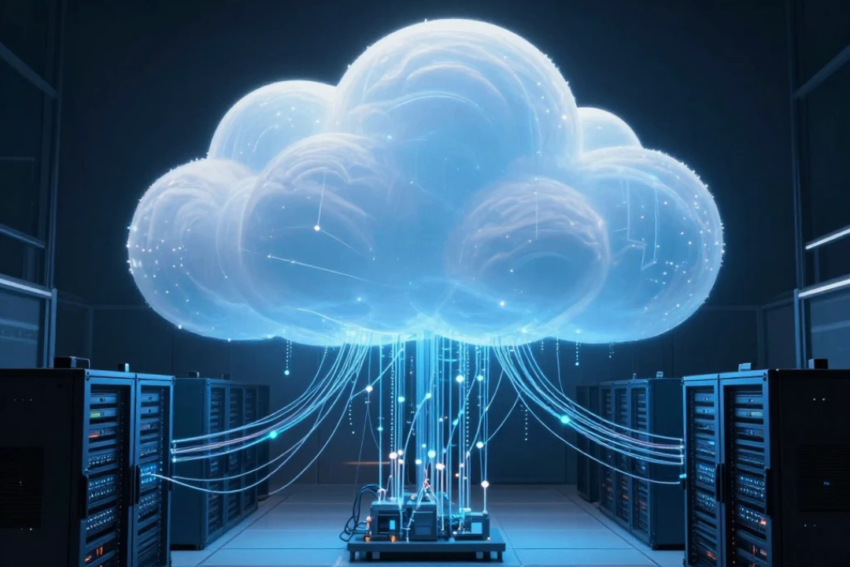
These resources may include servers, storage, databases, networking, software, analytics, and processing capabilities. Cloud providers operate large data centers containing thousands of physical servers. Customers access virtualized versions of these resources through the internet and generally pay according to their usage or subscription.
For example, consider a student who needs to store documents and assignments. Instead of keeping all files on a laptop’s hard drive or a USB flash drive, the student can use a cloud storage service. The files are stored on remote servers and can be accessed from a laptop, smartphone, or tablet. Similarly, a company can use cloud-based software without installing and maintaining the software on every employee’s computer.
This model provides flexibility because computing resources can be increased or decreased according to demand. A business that suddenly receives a large number of customers can obtain additional computing resources without necessarily purchasing new physical servers.
How Cloud Computing Works
Cloud computing depends on a combination of technologies, including high-speed networks, data centers, virtualization, distributed computing, and sophisticated management software.
Cloud service providers maintain large data centers in different geographical locations. These data centers contain physical servers, storage systems, networking equipment, backup systems, and security infrastructure. Users generally do not need to know where their data is physically stored. They interact with the provider through websites, applications, dashboards, or application programming interfaces.
One of the important technologies behind cloud computing is virtualization. Virtualization allows a single physical server to operate multiple virtual machines. Each virtual machine can run its own operating system and applications while sharing the underlying physical hardware with other virtual machines. This allows cloud providers to use their infrastructure efficiently.
Cloud platforms also use automated systems to allocate resources. When a user requests additional storage or computing power, the provider’s infrastructure can often allocate the necessary resources automatically. This makes cloud computing highly scalable and responsive to changing requirements.
Main Characteristics of Cloud Computing
Cloud computing has several characteristics that distinguish it from traditional computing models.
On-Demand Self-Service
Users can generally obtain computing resources when they need them without requiring direct assistance from the service provider. For example, a business administrator may be able to create a virtual server or increase storage capacity through an online dashboard.
Broad Network Access
Cloud services are accessible through networks and can usually be used on a variety of devices. A user may access the same cloud-based files or applications from a desktop computer, laptop, smartphone, or tablet.
Resource Pooling
Cloud providers share their large pools of computing resources among multiple customers. Resources are dynamically allocated according to demand. This approach allows providers to achieve greater efficiency than maintaining separate physical infrastructure for every customer.
Rapid Elasticity
Cloud resources can often be expanded or reduced quickly. This is particularly useful for websites and applications whose workloads change over time. For example, an online store may require significantly more computing resources during a major sale than during a normal business day.
Measured Service
Cloud providers commonly monitor resource usage. Customers may be charged according to factors such as storage capacity, processing time, data transfer, or the number of users, depending on the service and pricing model.
Types of Cloud Computing
Cloud computing can be categorized according to the services provided and the way the infrastructure is deployed.
Infrastructure as a Service
Infrastructure as a Service, commonly called IaaS, provides fundamental computing resources through the internet. These resources can include virtual machines, storage, networking, and other infrastructure components.
With IaaS, customers have greater control over their operating systems and applications while the cloud provider manages the underlying physical infrastructure. Businesses can therefore build their own applications without purchasing physical servers.
IaaS is especially useful for organizations that need flexible computing infrastructure but do not want the expense and responsibility of maintaining physical data centers.
Platform as a Service
Platform as a Service, or PaaS, provides developers with an environment for creating, testing, and deploying applications. The provider manages much of the underlying infrastructure, allowing developers to focus more on application development.
PaaS can include operating systems, development tools, databases, runtime environments, and other services. It can make software development faster because developers do not have to configure every component of the underlying infrastructure themselves.
Software as a Service
Software as a Service, known as SaaS, delivers complete software applications through the internet. Users generally access these applications through a web browser or dedicated application.
Examples include online email platforms, collaboration tools, customer relationship management systems, and cloud-based office applications. SaaS eliminates the need for users to install and maintain traditional software locally in many situations.
This model is popular because users can access applications from multiple devices and providers can handle updates, maintenance, and much of the technical infrastructure.
Cloud Deployment Models
Cloud computing can also be classified according to how cloud infrastructure is deployed.
Public Cloud
A public cloud is operated by a third-party provider and offers services to multiple customers. Organizations can obtain computing resources without owning the physical infrastructure.
Public clouds are attractive because they can reduce the need for large upfront investments in hardware. They are also highly scalable and can support organizations of different sizes.
Private Cloud
A private cloud is designed for the exclusive use of a particular organization. It may be hosted within the organization’s own facilities or managed by an external provider.
Private clouds can provide greater control over infrastructure and data. They may be particularly suitable for organizations with specific security, compliance, or customization requirements.
Hybrid Cloud
A hybrid cloud combines private and public cloud environments. An organization may keep certain sensitive workloads in a private environment while using public cloud resources for other applications.
For example, a company could store highly sensitive information in a controlled private environment while using public cloud infrastructure to handle additional computing requirements during periods of high demand.
Advantages of Cloud Computing
Cloud computing offers numerous advantages for individuals and organizations.
Cost Reduction
One of the major benefits is the potential reduction in infrastructure costs. Organizations do not necessarily need to purchase large numbers of physical servers or build extensive data centers. Instead, they can obtain resources from a cloud provider.
Cloud computing can also convert some infrastructure expenses from large upfront purchases into operating expenses based on usage or subscription models.
Scalability
Cloud computing allows organizations to adjust their resources as their needs change. A small startup can begin with limited resources and increase capacity as it grows. A large organization can also reduce resources when demand decreases.
Accessibility
Cloud services can generally be accessed from different locations and devices. This has become particularly important for remote work, online education, and geographically distributed teams.
Employees can collaborate on documents, access business applications, and communicate with colleagues without necessarily being physically present in the same office.
Backup and Disaster Recovery
Cloud services can support data backup and disaster recovery strategies. If local hardware fails, organizations may be able to recover information from cloud-based backups.
This can help reduce the impact of hardware failures, natural disasters, accidental deletion, and other incidents.
Automatic Updates
Many cloud-based services are updated and maintained by the provider. Users therefore do not always need to manually install updates or manage the underlying infrastructure.
Improved Collaboration
Cloud applications make it easier for multiple users to work with shared information. Employees can collaborate on documents, communicate through online platforms, and access common resources from different locations.
Challenges of Cloud Computing
Despite its advantages, cloud computing also presents challenges.
Security and Privacy
Data stored on cloud platforms may contain sensitive personal, financial, or business information. Organizations must therefore carefully consider security and privacy requirements.
Cloud providers use various security measures, but customers also have responsibilities. Strong passwords, access controls, encryption, monitoring, and appropriate security policies are important for protecting cloud resources.
Internet Dependence
Most cloud services require network connectivity. If an internet connection is unavailable or unreliable, users may have difficulty accessing cloud applications and data.
For organizations that depend heavily on cloud services, reliable network infrastructure is therefore essential.
Downtime
Cloud providers generally design their infrastructure to achieve high availability, but no technology is completely immune to outages. A service disruption can affect customers who depend on that platform.
Organizations should consider redundancy and disaster recovery strategies when using critical cloud services.
Vendor Lock-In
Moving applications and data from one cloud provider to another can sometimes be complicated. Different providers may use different technologies, interfaces, and services.
Organizations should therefore consider portability and interoperability when designing cloud-based systems.
Data Management
As organizations move increasing amounts of information to the cloud, they must establish appropriate policies for storing, accessing, retaining, and deleting data.
Applications of Cloud Computing
Cloud computing has applications across many industries.
In education, cloud platforms support online classrooms, digital learning materials, file sharing, and collaboration. Students and teachers can access educational resources from different locations.
In healthcare, cloud technologies can support data management, communication, analytics, and digital services. Because healthcare information is sensitive, strong security and regulatory compliance are essential.
In business, organizations use cloud computing for accounting, customer management, communication, human resources, data analysis, and software development.
The entertainment industry also depends heavily on cloud infrastructure. Online video and music streaming services require significant computing and storage capabilities to deliver content to millions of users.
Governments can use cloud computing to improve digital public services, manage information, and support online applications. However, government organizations must also consider security, privacy, and regulatory requirements.
Cloud Computing and Modern Work
Cloud computing has significantly changed the modern workplace. Employees no longer need to be located in the same office to access shared resources. Cloud-based communication and collaboration tools allow teams to work together across cities and countries.
Remote work has further increased the importance of cloud computing. Employees can access applications, documents, and business systems from home or other locations. This flexibility can help organizations recruit talent from wider geographical areas and maintain operations across different locations.
Cloud computing has also contributed to the growth of digital businesses. A startup can launch an online service without building its own data center. It can use cloud infrastructure to host its application and increase capacity as the number of customers grows.
Cloud Computing and Emerging Technologies
Cloud computing is closely connected with several emerging technologies. Artificial intelligence and machine learning often require substantial computing power and large amounts of data. Cloud platforms can provide the infrastructure required to develop and operate these systems.
Cloud computing also supports the Internet of Things, in which large numbers of connected devices generate and transmit data. Cloud platforms can store, process, and analyze this information.
Big data analytics is another important area. Organizations can use cloud resources to process large datasets and identify useful patterns and trends.
Edge computing is also developing alongside cloud computing. Instead of sending all data to distant cloud data centers, some processing can take place closer to the devices generating the data. This can reduce delays and improve performance for certain applications.
The Future of Cloud Computing
The future of cloud computing is likely to involve greater automation, improved security, and deeper integration with artificial intelligence. Organizations are increasingly looking for ways to use computing resources efficiently while reducing operational complexity.
Serverless computing is one example of this development. It allows developers to run application functions without directly managing traditional servers. The cloud provider handles much of the infrastructure management, allowing developers to concentrate on application logic.
Artificial intelligence is also likely to become increasingly integrated into cloud platforms. Businesses may use cloud-based AI tools for data analysis, automation, customer support, forecasting, and decision-making.
Security will remain a major priority. As more sensitive information and critical applications move to cloud environments, organizations will need stronger identity management, encryption, monitoring, and security practices.
Sustainability is another important consideration. Large data centers consume significant amounts of energy, so cloud providers and technology organizations are increasingly interested in energy-efficient hardware, renewable energy, and improved data-center design.
Conclusion
Cloud computing has transformed the way computing resources are delivered and used. By providing storage, processing power, applications, databases, and other services through the internet, it has made sophisticated technology more accessible and flexible.
The major cloud service models—Infrastructure as a Service, Platform as a Service, and Software as a Service—serve different requirements, while public, private, and hybrid deployment models allow organizations to select approaches that suit their needs.
Cloud computing provides important benefits, including scalability, accessibility, cost efficiency, collaboration, and disaster recovery. At the same time, organizations must address challenges involving security, privacy, internet dependence, service availability, vendor lock-in, and data management.
Today, cloud computing is no longer simply an alternative to traditional IT infrastructure. It is a fundamental part of the digital world. From education and healthcare to business, entertainment, artificial intelligence, and online communication, cloud technologies support many of the services people use every day.
As technology continues to develop, cloud computing will likely become even more intelligent, automated, secure, and integrated with emerging technologies. Understanding the fundamentals of cloud computing is therefore essential for students, professionals, businesses, and anyone interested in the future of information technology.